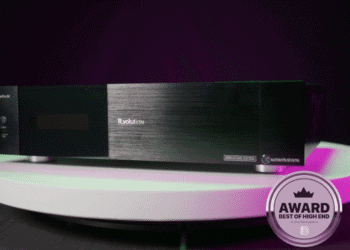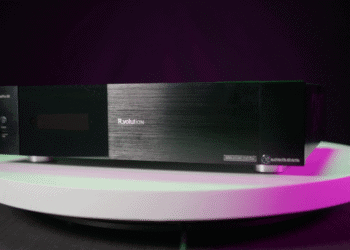


R_volution has issued a new firmware update for its Amlogic-based PlayerPro 8K lineup, addressing several playback issues reported by owners of the brand’s flagship 8K media players. Version 260804_0926_r24 of the R_volution PlayerPro 8K firmware fixes picture corruption during certain HEVC and Blu-ray ISO playback, tightens seek-position accuracy in large files, and resolves a crash that could occur after cycling through a large number of files.

What This R_volution PlayerPro 8K Firmware Update Fixes
The release notes point to several concrete bugs. On S928X-based models, playing certain HEVC videos or Blu-ray disc ISOs — especially concert Blu-rays — could corrupt the picture, an issue this firmware specifically targets. Owners of large media libraries should also notice more accurate seek positioning in big files, where the previous firmware could misjudge exactly where in a file playback should resume. R_volution has also fixed a crash that could occur after playing a long run of files back to back, and a setting called “Hide Android folders in drive root”, which previously only applied to one connected storage device instead of all of them. A handful of smaller internal fixes round out the update.

Why the R_volution PlayerPro 8K Firmware Matters for S928X Owners
PlayerPro 8K, PlayerPro 8K TV and the range-topping PlayerPro 8K Signature Edition all share the same Amlogic S928X/S905X4-K platform, a TCXO precision clock and a dual-HDD enclosure that can house up to 64TB of movies, TV shows and concert footage, so a fix included in this R_volution PlayerPro 8K firmware update benefits the whole PlayerPro line at once. Bestofhighend previously reviewed the range-topping model in depth; see our R_volution PlayerPro 8K Signature Edition review for how the platform performs with 8K, Dolby Vision and Dolby Atmos content. This is the second firmware update R_volution has pushed to its Amlogic players in recent months, a sign the France-based brand continues to actively support hardware already in the field.

How to Install the R_volution PlayerPro 8K Firmware Update
R_volution offers two installation routes. The simplest is an online update: connect the player to the internet, power it on, and follow the pop-up prompt that appears on screen. Alternatively, owners can install manually via USB — download the .rff firmware file from R_volution’s site, unzip it, place the file on a USB flash drive, and connect that drive to the player. Full instructions and the firmware download are available on R_volution’s official firmware page.

Pricing and availability
Since this is a firmware release rather than a new product, the R_volution PlayerPro 8K firmware update is free for existing owners and installs via OTA or USB, with no purchase required. For readers considering the platform itself, the R_volution PlayerPro 8K starts at around €1,299, the PlayerPro 8K TV lists at approximately €1,999, and the PlayerPro 8K Signature Edition tops the range at €2,599; exact pricing varies by authorized dealer and region.
Key specifications
Firmware version 260804_0926_r24 is the R_volution PlayerPro 8K firmware update at a glance:
- Firmware version: 260804_0926_r24 (released 4 August 2026)
- Applies to: PlayerPro 8K, PlayerPro 8K TV, PlayerPro 8K Signature Edition (Amlogic S928X models)
- Fixes: HEVC/Blu-ray ISO picture corruption, seek-position accuracy in large files, playback crash after extended file cycling, single-device “hide Android folders” bug, various internal fixes
- Install methods: online OTA update or manual USB (.rff file)
- Shared platform: Amlogic S928X / S905X4-K, TCXO precision clock, dual HDD bay (up to 64TB)
- Cost: free for existing owners